
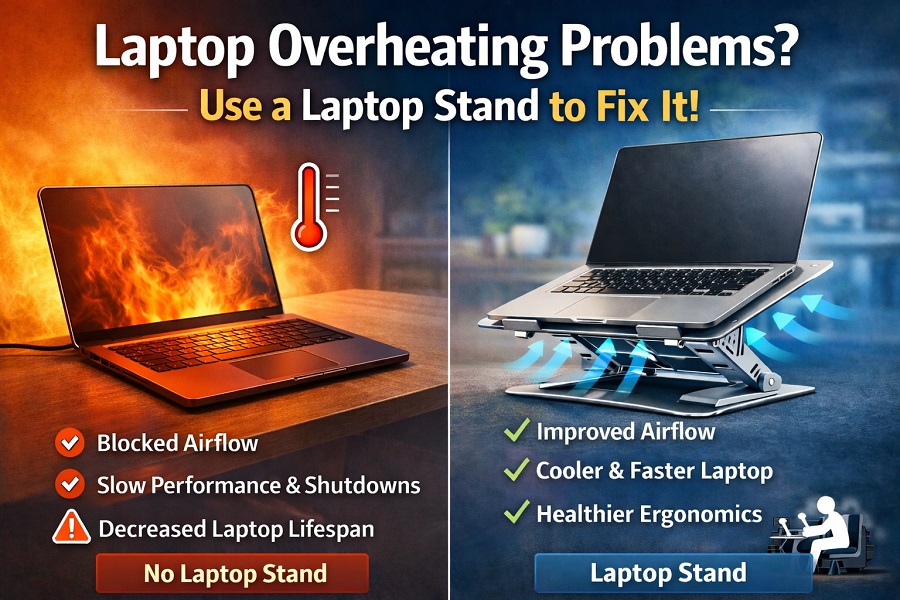
Laptop overheating is one of the most common problems faced by students, professionals, gamers, and digital marketers who work long hours. Whether you are running heavy software, attending video calls, or managing ads and SEO campaigns, excessive heat can slow down your laptop and reduce its lifespan. In this blog, we’ll understand laptop overheating problems, their causes, risks, and how a laptop stand helps in cooling and performance improvement.
What Is Laptop Overheating?
Laptop overheating occurs when the internal temperature of the device rises beyond safe operating limits. This usually happens when heat generated by the processor, graphics card, and battery is not released properly. Over time, overheating can damage internal components and affect performance.
Common Signs of Laptop Overheating
- Laptop feels hot near the keyboard or bottom
- Fan running loudly
- Sudden system lag or freezing
- Automatic shutdowns
- Reduced battery performance
Ignoring these signs can lead to long-term hardware issues.
Major Causes of Laptop Overheating
1. Poor Airflow
Most laptops pull cool air from the bottom and release hot air through side or rear vents. When placed on beds, sofas, or directly on a desk, airflow gets blocked, trapping heat inside.
2. Dust Accumulation
Dust buildup inside fans and vents prevents proper heat dissipation, forcing the system to run hotter than normal.
3. Heavy Workloads
Tasks like video editing, gaming, running ads dashboards, or using multiple browser tabs increase CPU and GPU load, generating more heat.
4. Old Thermal Paste
Over time, thermal paste between the processor and heat sink dries out, reducing heat transfer efficiency.
5. High Ambient Temperature
Working in hot environments without proper ventilation can worsen overheating problems.
Risks of Laptop Overheating
Laptop overheating is not just uncomfortable—it can be harmful.
- Performance Throttling: CPU slows down to reduce heat
- Shorter Laptop Lifespan: Heat damages internal components
- Battery Damage: Excessive heat reduces battery health
- Unexpected Shutdowns: Risk of data loss
- Costly Repairs: Motherboard or processor failure
This is why managing laptop temperature is crucial.
How a Laptop Stand Helps Reduce Overheating
A laptop stand is one of the simplest and most effective solutions for overheating problems.
1. Improved Airflow
Laptop stands lift the device off the desk, allowing air to circulate freely underneath. This prevents heat from getting trapped and helps vents function efficiently.
2. Better Heat Dissipation
With increased exposure to air, heat escapes faster from the laptop body, keeping internal temperatures under control.
3. Ergonomic Angle = Less Heat
Most laptop stands tilt the device at an angle. This not only improves typing comfort but also reduces heat buildup around the base.
4. Reduced Fan Stress
When airflow improves, the cooling fan doesn’t need to work as hard, reducing noise and internal wear.
5. Optional Cooling Support
Some laptop stands come with built-in cooling fans, offering extra temperature control for high-performance users.
Additional Benefits of Using a Laptop Stand
Apart from cooling, a laptop stand offers several productivity benefits:
- Improved posture and neck alignment
- Reduced wrist strain
- Better screen visibility
- Cleaner desk setup
- Portable and foldable options for travel
For professionals working long hours, this is a major advantage.
Who Should Use a Laptop Stand?
A laptop stand is highly recommended for:
- Students attending online classes
- Digital marketers and SEO professionals
- Software developers
- Content creators and editors
- Gamers
- Work-from-home users
If your laptop heats up even during normal usage, a stand can make a noticeable difference.
Tips to Maximize Cooling with a Laptop Stand
- Clean laptop vents regularly
- Avoid soft surfaces like beds or cushions
- Use the stand on a flat surface
- Keep room temperature moderate
- Close unnecessary background apps
Combining these habits with a laptop stand ensures long-term performance stability.
Conclusion
Laptop overheating is a serious issue that affects performance, comfort, and device longevity. While internal cleaning and software optimization help, using a laptop stand is one of the easiest and most cost-effective solutions. It improves airflow, reduces heat buildup, enhances ergonomics, and boosts overall productivity.
If you work long hours on your laptop, investing in a good laptop stand is not just an accessory—it’s a necessity.